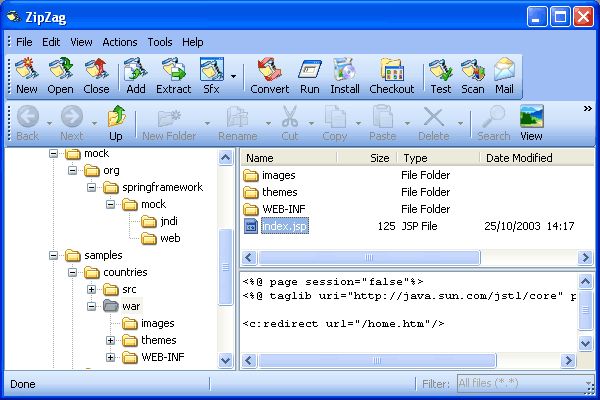
|
 ZipZag
is an advanced archiver that handle ZIP, 7-ZIP, ACE, ARC, ARJ,
BZ2, BZA, CAB, CPIO, CZIP, DEB, EAR, GCA, GZ, GZA, JAR, LHA, LZH,
LZS, PAK, PK3, RAR, RPM, TAR, TAR.Z, TAZ, TZ, TAR.BZ2, TBZ, TB2,
TBZ2, TAR.GZ, TGZ, WAD, WAR, WMZ, WSZ, Z, B64, UUE, XXE. ZipZag
is an advanced archiver that handle ZIP, 7-ZIP, ACE, ARC, ARJ,
BZ2, BZA, CAB, CPIO, CZIP, DEB, EAR, GCA, GZ, GZA, JAR, LHA, LZH,
LZS, PAK, PK3, RAR, RPM, TAR, TAR.Z, TAZ, TZ, TAR.BZ2, TBZ, TB2,
TBZ2, TAR.GZ, TGZ, WAD, WAR, WMZ, WSZ, Z, B64, UUE, XXE.
Features include extract, add, delete, sfx, unsfx, convert, batch
add, batch extract, merge, run, install, checkout, view, test,
virus scan, repair, remove known password, truncate, span, unspan,
mail, print file list, file list export to txt, csv and htm files.
|
|
Key features
of ZipZag:
-
ZipZag
offers better compression for 7-ZIP archive format than RAR, ACE or
ZIP.
-
You can
drag and drop files from ZipZag to other applications to view them, or
you can drag and drop files to Windows
-
Explorer to extract them in a specific folder.
-
You can
use right click context menu in order to compress files to archives or
to extract files from archives.
-
Batch
Add feature allows to compress many files at once, each in his own
archive. Batch Extract feature allows to extract many files at once.
Merge Archives creates a single archive from a couple of smaller
archives.
-
ZipZag
can span or unspan a zip file using the standard procedure, or even
slice or restore any type of files.
-
ZipZag
has a build-in viewer that works with most of popular formats, like
HTML, XML, DOC, XLS, BMP, ICO, JPG, TIFF, TGA, PNG, PCD, PSD, PSP, PCX
and more. C++, Delphi, CSS, Java, Java Script, Visual Basic, Visual
Basic Script, Perl and PHP source code is viewed using highlighted
syntax.
-
ZipZag
perform all file operations Windows Explorer can do, plus you can wipe
a file making the file impossible to recover.
-
Many
dialog boxes, as Extract or Add, are resizable.
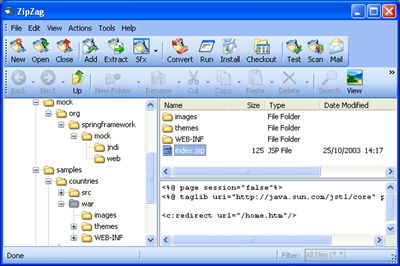
ZipZag
Screenshot:
 |