|
|
|
Main
> Software
Development > Tools & Editors
> RFC Reader |
|
When we
read RFC documents, we always open them by using notepad or other text
tools. These tools cannot index the RFC documents. It's very uncomfortable
to locate what you want .
In another hand, we always need add bookmark to specific sections sometimes,
but these tools cannot provide this function too. There are some other
functions we need when we read RFC documents, such as colorful text, adding
memo, highlight what we want, etc.
So how we can do? Now, we suggest that you can try RFC Reader! It is a
professional solution for reading RFC documents. |
|
Download |
Buy Now |
|
Key features
of RFC Reader:
-
Create
tree-like index. You can click the index and jump to the chapters
which you want.
-
Add and
delete bookmarks. You can also click the bookmarks to locate the
section which you have indicated.
-
Enable
highlight and cancel highlight, mark everything you like!
-
Record
the location which you are reading. It will jump to the section
directly when you open the document again.
-
Each
child window support independent "find and find next" features.
-
Support
toggling open files tabs.
-
Auto-save your configuration.
System Requirements:
-
Pentium II CPU
-
64 MB RAM
-
10 MB Free HD space
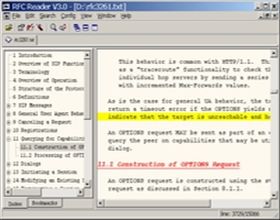
RFC Reader screenshot:
 |
|
|
Product
Information
|
-
Version: 3.0
-
Price:
$17.95
-
Size:
415 KB
-
License:
Shareware
-
Developer:
MyVoipApp
-
OS:
Windows 98, ME, NT,
2000, XP, 2003
-
Rating:

|
|
|
|