|
|
|
Main
> Business
& Finance > Presentation Tools
>Diagram Studio 5.x |
 A
picture is worth a thousand words. A clear, self-explanatory, striking
picture – whether it ’s a flowchart, diagram, illustration or technical
drawing – may be worth a new contract, extra sales channels, more revenue,
additional clientele. DiagramStudio is a tool that helps thousands of
individuals and organizations create convincing, eloquent and visually
appealing presentations. A
picture is worth a thousand words. A clear, self-explanatory, striking
picture – whether it ’s a flowchart, diagram, illustration or technical
drawing – may be worth a new contract, extra sales channels, more revenue,
additional clientele. DiagramStudio is a tool that helps thousands of
individuals and organizations create convincing, eloquent and visually
appealing presentations.
DiagramStudio comes with a comprehensive but rather unsophisticated set of
tools that enable even the most “drawing-challenged ” folks who hated their
Art lessons, create impressive presentations. The program comes with over a
hundred pre-defined symbols, numerous templates, including flowcharts of all
sizes, automatic alignment and arrangement, internal editor of images with
transparency support, full zoom and pan features and much more.
For easy navigation, DiagramStudio offers Object Explorer, Rulers and
Toolbars. Importantly, the program allows copying or exporting diagrams to
any program that supports OLE (Object Linking and Embedding). Users can
import graphics and clip-art to use in their diagrams. The diagrams can be
exported as WEB graphics (JPG files), Windows bitmap and metafiles.
The advantages of DiagramStudio are far too numerous to list. The program is
can be tried free of charge for the entire duration of the evaluation
period. DiagramStudio 3.0 is distributed electronically over the Internet;
free demo version is available at http://www.diagramstudio.com/ for
evaluation. |
|
Download |
Buy
Now |
Key
features of Diagram Studio 5.x:
-
DiagramStudio has
a new, intuitive user interface called the Ribbon that helps
you create better diagrams much more quickly.
-
More than 40 Quick
Styles (Quick Styles: Collections of formatting options that
make formatting your documents and objects easier.)
-
Comes with over a
hundred pre-defined symbols and several diagram templates
including flowcharts of all sizes.
-
Create large
multi-page wall posters.
-
Powerful drawing
tools, such as Line, Curve, Rectangle, Polygon, Ellipse, etc.
-
More than 30 fill
patterns. Gradient fill patterns.
-
Many lines styles,
curves patterns, and designs.
-
Color shadows are
supported.
-
Internal editor of
images with transparency support.
-
Create your own
styles like a word processor.
-
Unlimited number
of layers.
-
Smart connectors.
When you move objects, connectors reshape accordingly.
-
More than 30
arrowhead styles.
-
Multiple
connection points - connect anywhere on a symbol.
-
Staple feature
lets you "staple" labels to keep near a symbol.
-
Snap customizable
grid for precise placement.
-
Alignment and
arrangement tools.
-
Full zoom and Pan
capability.
-
Customizable
working area.
-
Object Explorer,
Pan & Zoom Window, Rulers, Toolbars.
-
Copy or export
diagrams to any program that supports OLE.
-
Import graphics
and clip-art to use in your diagrams.
-
Export diagrams as
WEB graphics (JPG files), Windows bitmap and metafile.
-
Object Linking and
Embedding (OLE) compatibility.
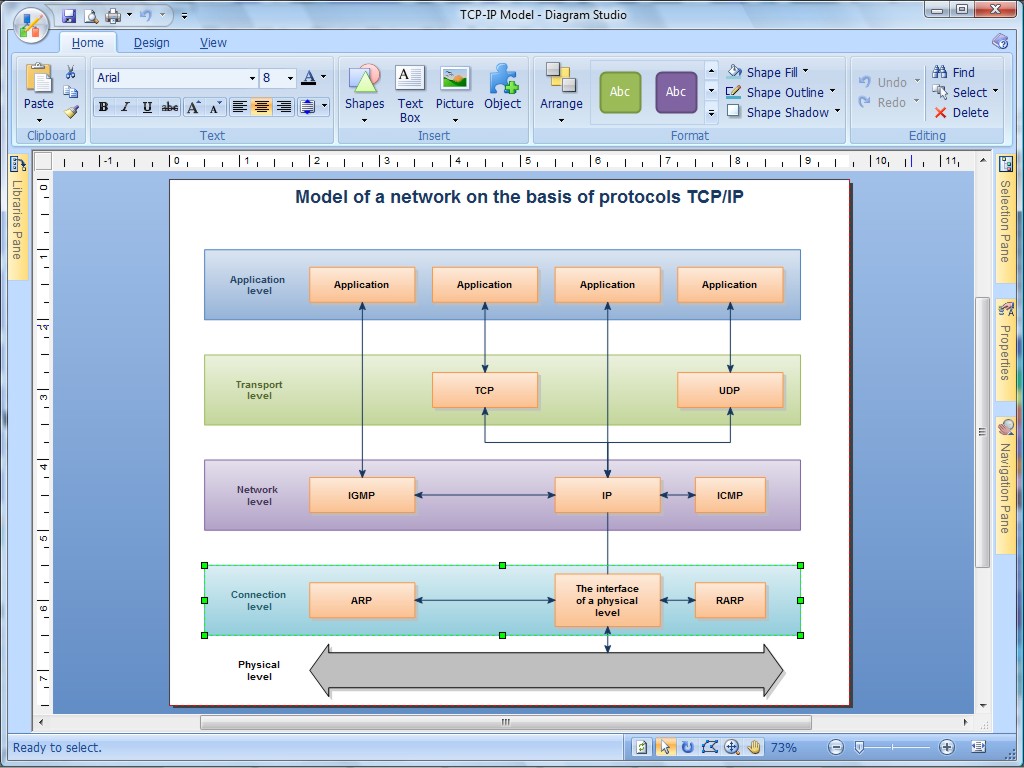
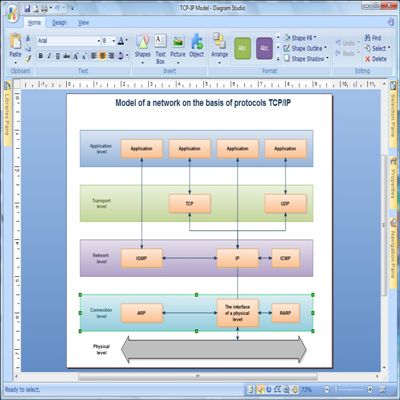
Diagram Studio 5.x screenshot:
|
|
|