|
|
|
Main >
Utilities
>
File & Disk Management
> File Renamer Pro |
|
 File Renamer Pro is
an easy-to-use File Renamer allows you to rename multiple files
and folders at once. It offers various ways of renaming the files,
including uppercase, lowercase, file extension renaming,
insertion, deletion, string replacements, sequential renaming and
more. File Renamer Pro can rename MP3 files based on ID3 tag
information (e.g. artist name, title etc.). The program provides a
preview of the new file names. It supports drag and drop. File Renamer Pro is
an easy-to-use File Renamer allows you to rename multiple files
and folders at once. It offers various ways of renaming the files,
including uppercase, lowercase, file extension renaming,
insertion, deletion, string replacements, sequential renaming and
more. File Renamer Pro can rename MP3 files based on ID3 tag
information (e.g. artist name, title etc.). The program provides a
preview of the new file names. It supports drag and drop.
|
|
Buy Now |
|
Key features
of File Renamer Pro:
-
Batch File Renaming
Rename multiple files, photos, web pages, music at once, preview changes
before renaming.
-
Batch Folders Renaming:
Can process folder names in mass.
-
Rename file extension:
File extensions can be selectively renamed, allowing bulk
re-association of multiple files.
-
Convert file case:
Upcase, Lowcase file names or extension.
-
Insert string: insert
string in existing file names starting at any character positions you
like.
-
Delete string : delete
parts of file names starting at a specific character position from
which you select how many characters to delete from that position.
-
String Replacement:
Search for a certain string within filenames and replace it with
another string.
-
Sequential Renaming:
Sequential Renaming will add a sequence of numbers to your filenames.
-
Rename MP3 files: Tag
and rename multiple MP3 files according to their tag information(ID3
tags) !
-
File list renaming:
Renaming using a list of filenames.
-
Powerful real-time
preview.
-
Easy-to-use Window
Explorer style interface: Intuitive user interface that requires no
technical knowledge whatsoever.
-
Full drag and drop
support.
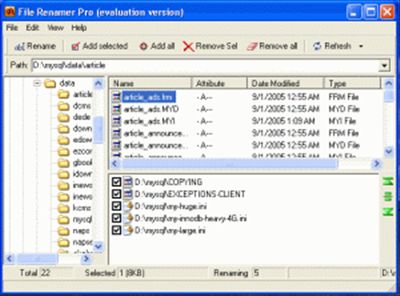
File Renamer Pro
Screenshot:
 |
|
|

