|
|
|
Main
> Multimedia & Design > Image Editing
> Capture By George! |
|
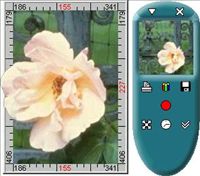 Capture By George! is an
advanced Windows screen capture application that offers an easy and
intuitive method of making screen captures. Capture By George! is an
advanced Windows screen capture application that offers an easy and
intuitive method of making screen captures.
Simply select the screen region to capture
before pressing the Capture button; not after as with many other screen
capture applications. With Capture By George!, you can save time and enhance
your screen shots. Capture By George! will help you make quick and easy
screen captures for any purpose:
Capture a window or any part of the Windows desktop to use in documentation.
Print screens to design program interfaces.
Use captured images in hypertext books or computer based training software.
Save a message screen to send to technical support for a quick description
of the issue.
Publish your screenshots on the web.
You can choose among five file formats (BMP, JPEG, GIF, PNG, TIFF), adjust
color and dithering settings to achieve the optimal result. Adjustments are
visualized in real-time, providing the ability to compare up to four
different results from saving in various formats and compression levels
simultaneously. |
|
Buy Now |
|
Key features
of Capture By George!:
-
Improved Print Preview
support
-
An Image Editor, allowing
you to rotate, scale, and crop captured images
-
A completely redesigned
Save As feature
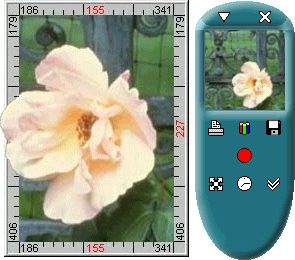
Capture By
George! screenshot:
|
|
|
