|
|
|
Main
> Desktop
Enhancements > Shell Desktop Management
> Auto Window Manager |
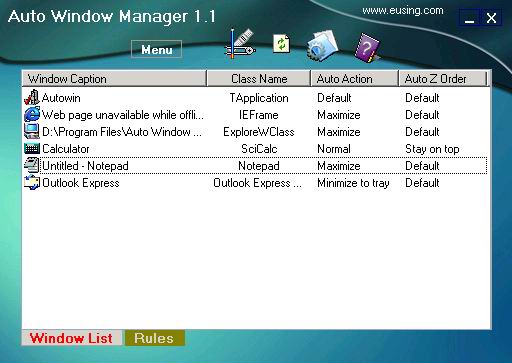
 Auto
Window Manager automatically manages any window you specify. For instance,
some web browsers open up in a non-maximized window. Using Auto Window
Manager,you can set those windows to automatically maximize (minimize,
normal, minimize to tray,stay on top) every time they're opened. It works
with almost any program, including web browsers, Notepad, etc. Auto Window
Manager stays running in the system tray, so it stays out of your way while
it works. Auto
Window Manager automatically manages any window you specify. For instance,
some web browsers open up in a non-maximized window. Using Auto Window
Manager,you can set those windows to automatically maximize (minimize,
normal, minimize to tray,stay on top) every time they're opened. It works
with almost any program, including web browsers, Notepad, etc. Auto Window
Manager stays running in the system tray, so it stays out of your way while
it works.
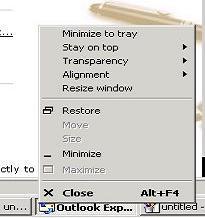
Auto Window Manager adds several menu items to standard window menu
accessible via application icon in the title bar.The commands are:Minimize
to system tray, always keep window on top, Set window transparency, align
window, resize window. |
|
Buy Now |
|
Key
features of Auto Window Manager:
-
Automatically
maximize or minimize or normal all new windows you specify.
-
Automatically
minimize all new windows you specify to system tray.
-
Automatically keep
all new windows you specify always on top.
-
Adds several menu
items to standard window system menu.
-
Minimize the
current window to system tray.
-
Apply transparency
effect from 0% (fully transparent) to 100% (solid) rate to any
program in Windows 2000/XP/2003.
-
Show window
property of application, such as window handle, class name,
process id etc.
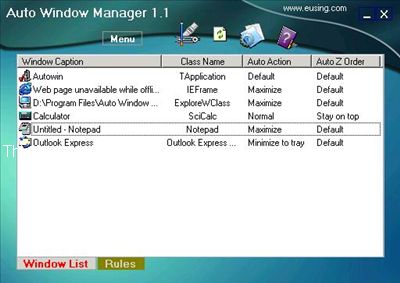
Auto
Window Manager screenshot:
 |
|
|