|
|
|
Main
> Business
& Finance >
Spread Sheets
> TimeAndWageBook |
 If you need
to track employee hours and calculate their pay based on the hours worked,
this Workbook will make it a breeze! It is an Excel Workbook which you
enter, one time only, all your employee names into. You then enter their
hourly rate and then simply enter their total hours worked for each day. It
also has the option to add 2 different overtime rates and the hours after
which these rates apply, all calculations are done for you! You can also
(optionally) add 2 different rates for both Saturday and Sunday rates. If
your employees work Public holidays, there is another option for Public
holiday rates. All you do is fill in the needed details once and save as a
Template If you need
to track employee hours and calculate their pay based on the hours worked,
this Workbook will make it a breeze! It is an Excel Workbook which you
enter, one time only, all your employee names into. You then enter their
hourly rate and then simply enter their total hours worked for each day. It
also has the option to add 2 different overtime rates and the hours after
which these rates apply, all calculations are done for you! You can also
(optionally) add 2 different rates for both Saturday and Sunday rates. If
your employees work Public holidays, there is another option for Public
holiday rates. All you do is fill in the needed details once and save as a
Template |
|
Buy
Now |
Key
features of TimeAndWageBook:
-
Allows up to 50
employees.
-
Simple
step-by-step instructions.
-
Nomination of
public holidays rates (optional).
-
Allows for 2
levels of overtime payments (optional).
-
Allows
nomination of Saturday and Sunday hourly pay as well as 2
levels of Saturday and Sunday overtime payments (optional).
-
Allows
nomination of public holiday hourly pay as well as 2 levels
of public holiday overtime payments (optional).
-
Setting of pay
period from 1 day to 2 weeks.
-
Automatic pay
calculations based on employee details entered (points 3, 4,
5 and 6).
-
Display of days,
weekdays, Saturdays, Sundays and public holidays in pay
period set.
-
Facility for
"Additional" pays each day.
-
Grand total of
all pays for pay period.
-
Grand total of
all hours for pay period.
-
Total pay by
employee for pay period.
-
Total hours by
employee for pay period.
System
Requirements:
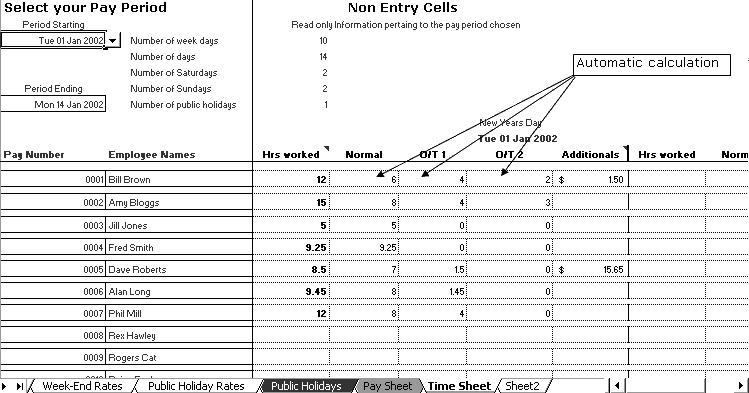
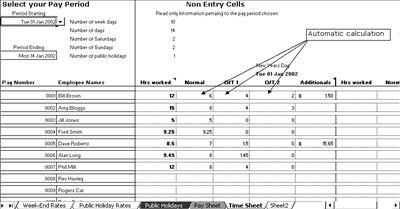
TimeAndWageBook screenshot:
|
|
|